
A score, not a streak
Kadō's habit score is an exponential moving average of your completions, inspired by Loop Habit Tracker. One missed day nudges the number down — it doesn't wipe months of progress.

A privacy-first habit tracker for iPhone and iPad. A non-binary habit score instead of a fragile streak. Offline-first. Open source. No account, no subscription, no telemetry.
Free · open source · iPhone and iPad on iOS 18 or later


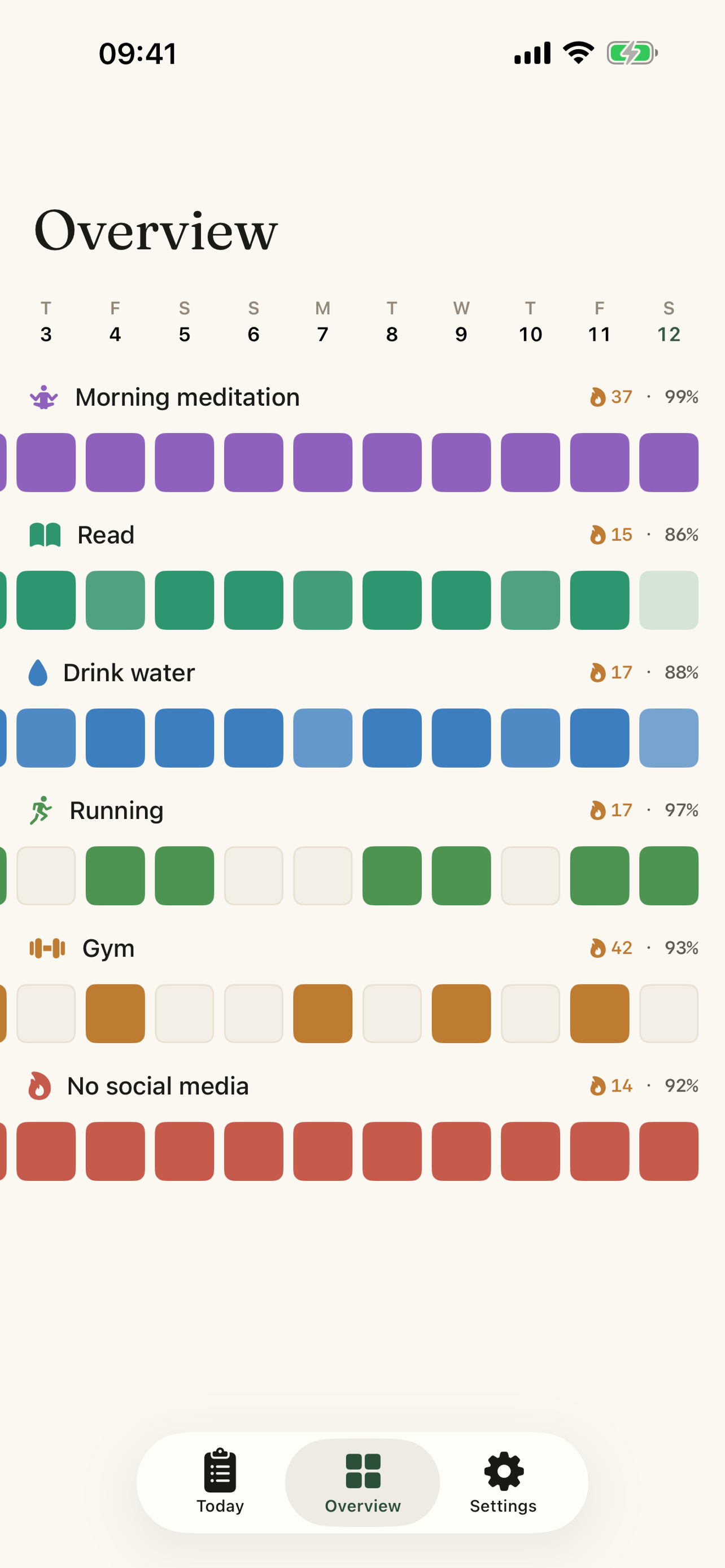
Kadō's ambition is narrow: help you build long-term habits on iOS, with Apple-native surfaces and no hidden costs.
Kadō's habit score is an exponential moving average of your completions, inspired by Loop Habit Tracker. One missed day nudges the number down — it doesn't wipe months of progress.
No account. No analytics. No third-party SDKs. Storage is local; sync is optional through your own iCloud, in your private CloudKit container.
SwiftUI, SwiftData, CloudKit, WidgetKit, App Intents. Home Screen widgets that show the habits you pick, in your order, and Lock Screen widgets including a ring that closes as the day gets done. Siri and Shortcuts: complete a habit, log a value, or ask for a streak, hands-free. Designed to feel like a first-party iOS app, not a cross-platform port.
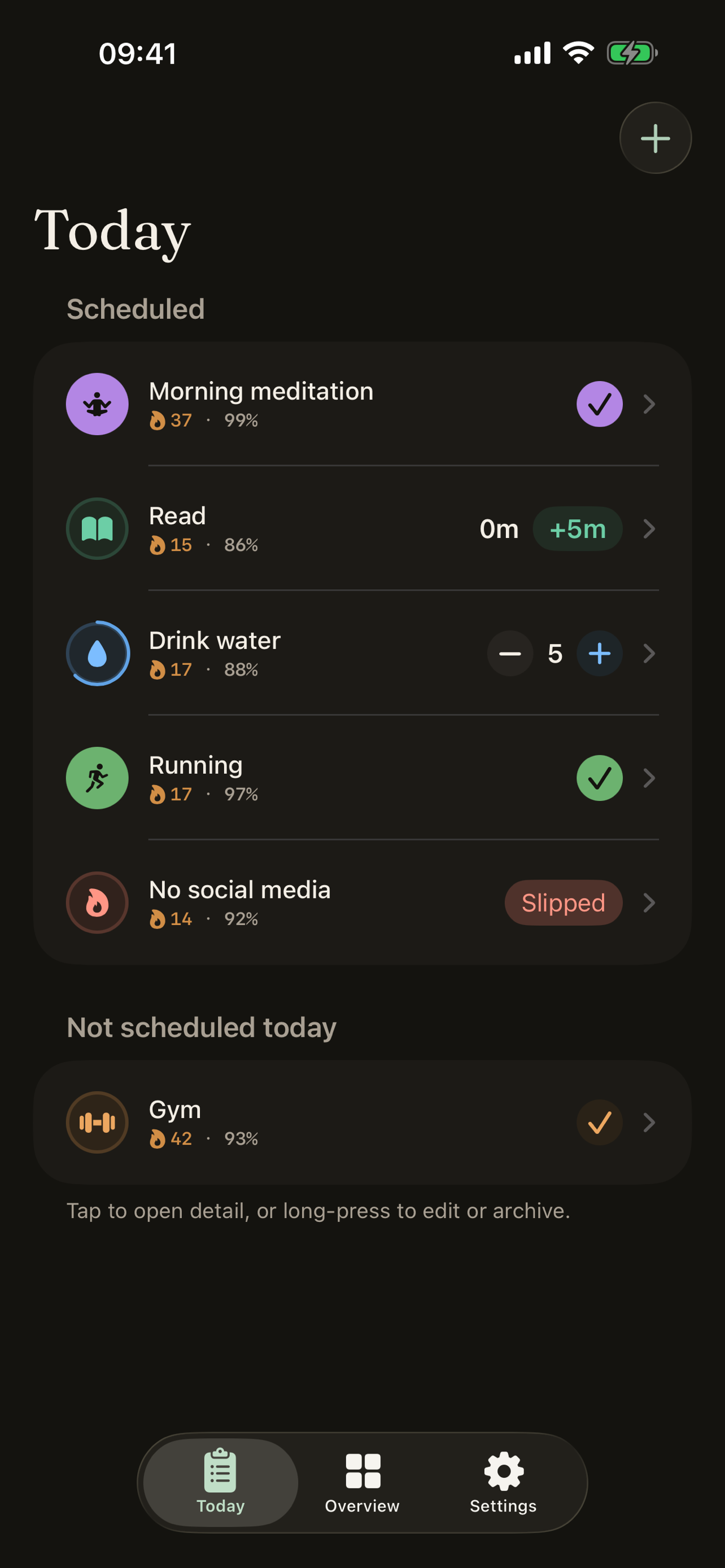
Daily, N days per week, specific weekdays, or every N days — and the "every N days" cycle re-anchors each time you actually do it, so finishing early never costs you a day. Binary, counter, or timer habit types.
A habits × days matrix with score-shaded cells — the Loop / Way of Life pattern with Kadō's score DNA. Scroll back through history, tap any day to mark a habit done right there. Days you did something off-schedule show up too, instead of hiding as rest days.
Per-habit local notifications with recurring schedules and check / skip quick actions. Scheduled on-device; nothing routes through a server.
Lossless export and import in both JSON and CSV, round-trip tested. Open a CSV backup in Numbers or Excel, edit it, bring it back in — notes and all. Anti-lock-in from day one.
Forgot to log yesterday? Tap any day in the calendar and set it right — including days before the habit existed. Add a short note to any completion, page back through the months, and long-press a history entry to delete it. Archived habits wait in Settings, history intact, until you bring them back.
Log after midnight, or work nights? Set the day to roll over at any hour and one tap still lands on the day you mean. Weeks start where your region starts them. Type a value on the number pad instead of tapping up to it. Drag your habits into the order you actually do them — it syncs across your devices.
Full Dynamic Type up to XXXL, VoiceOver labels on every surface, Dark Mode, and semantic colors that adapt to Increase Contrast.
Translated by a French speaker, not a machine. tu, série, habitude — it reads right, not translated.
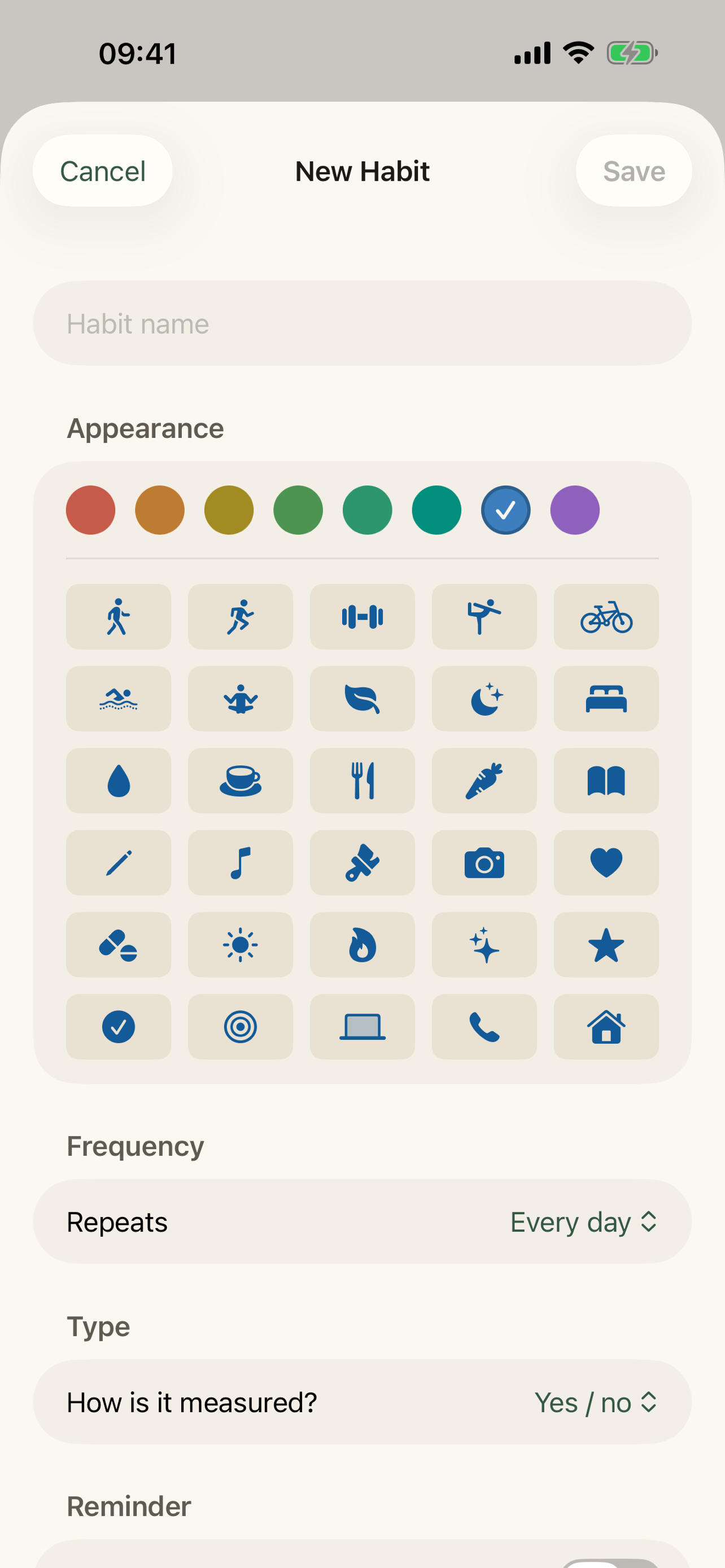
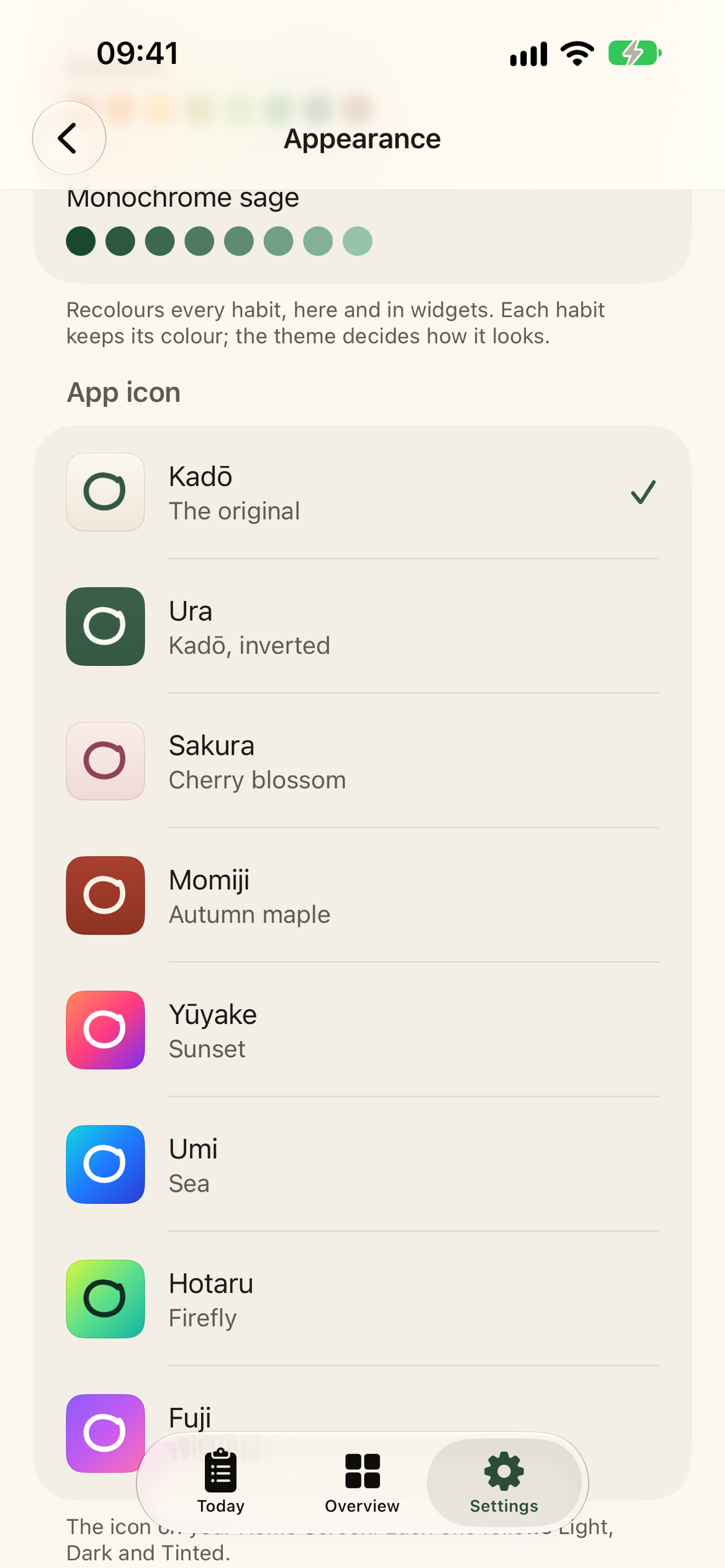
Every feature that tracks a habit is free: no subscription, no ads. Pick your habit colours in Settings › Appearance. The optional Supporter pack, a one-time purchase shared with your family, adds four more palettes and seven alternate app icons — and the Tip Jar unlocks nothing at all.
A streak resets to zero the moment you miss a day, which can make the whole tracker feel punishing. Kadō's habit score is an exponential moving average of your recent completions: a missed day gently nudges the number down, a successful day nudges it up, and weeks of consistency outweigh a single bad afternoon. Streaks are still shown — they're just not the only signal.
The app is free and open source under the MIT license, with no subscription and no ads. Everything that tracks a habit — the score, widgets, sync, reminders, Siri, export — is free. Settings › Support Kadō offers two optional ways to fund the work: the Supporter pack, a one-time purchase that adds four habit colour palettes and seven alternate app icons (shared with your Family Sharing group), and a Tip Jar that unlocks nothing.
No. There is no analytics, no telemetry, no crash reporter, and no third-party SDK. If you enable iCloud sync, your data goes through Apple's CloudKit private database — it lives in your own iCloud, and the developer cannot see it. Full policy: PRIVACY.md.
No. Kadō works fully offline with zero sign-up. iCloud sync is optional and piggybacks on the Apple ID you already have on your device.
Yes — through iCloud, if you opt in. Sync uses Apple's CloudKit private database, so your data never touches a third-party server. It's been tested across iPhone and iPad, and it's off by default.
No, and it isn't planned. A watchOS app and HealthKit auto-completion were both on the roadmap, and in the months since launch nobody has asked for either — so they've been dropped rather than left dangling as vapourware. If that changes, open an issue; real demand would bring them back. Siri and Shortcuts already cover hands-free logging on iPhone and iPad. See the roadmap.
JSON and CSV import/export are both shipped and round-trip tested — export, edit in a spreadsheet if you like, import back with nothing lost. Direct import from Loop Habit Tracker and Streaks is still on the roadmap. You should never feel stuck in an app.
iPhone and iPad on iOS 18 or later — one universal app. Live Activities with Dynamic Island are planned; a Mac app is a maybe; watchOS isn't planned.
Yes. The full source is MIT-licensed at github.com/scastiel/kado. Issues, bug reports, and pull requests are welcome. Claude Code is used as a pair programmer — the CLAUDE.md file is the project's working agreement and applies equally to human contributors.
Kadō (稼働) is Japanese for "in operation" or "running" — the state of a system that's quietly doing its job, day after day. A fitting name for a habit that keeps going.
Make Kadō yours. Settings › Appearance is a new home for how the app looks: pick the colours your habits wear — Kadō or Classic, both free — and the widgets follow along. The optional Supporter pack adds four more palettes and seven alternate app icons, each in light, dark and tinted. It comes after 1.10, which let each Home Screen widget show the habits you choose and gave archived habits a home. Next up: Live Activities for timer habits, then Face ID. See the roadmap →